Free for Android and Windows
Combine Wi-Fi and mobile data, using your own V2Ray configs
V2Duo puts every internet connection you have to work at the same time and spreads your V2Ray and Xray configs across them. Downloads and video get faster, and when one connection or config drops, you stay online.
- No sign-up, no personal data collected
- Light: under 1% CPU when idle
- VLESS, VMess, Trojan, Shadowsocks and Hysteria2
Three steps to a faster connection
- 1
Add your configs
Paste a config or subscription link, scan a QR code, or import a Clash or sing-box file. You can also skip configs and just combine your connections.
- 2
Turn on your connections
Keep Wi-Fi and mobile data on together. On Windows, cable, Wi-Fi and USB tethering from your phone can all work side by side.
- 3
Connect
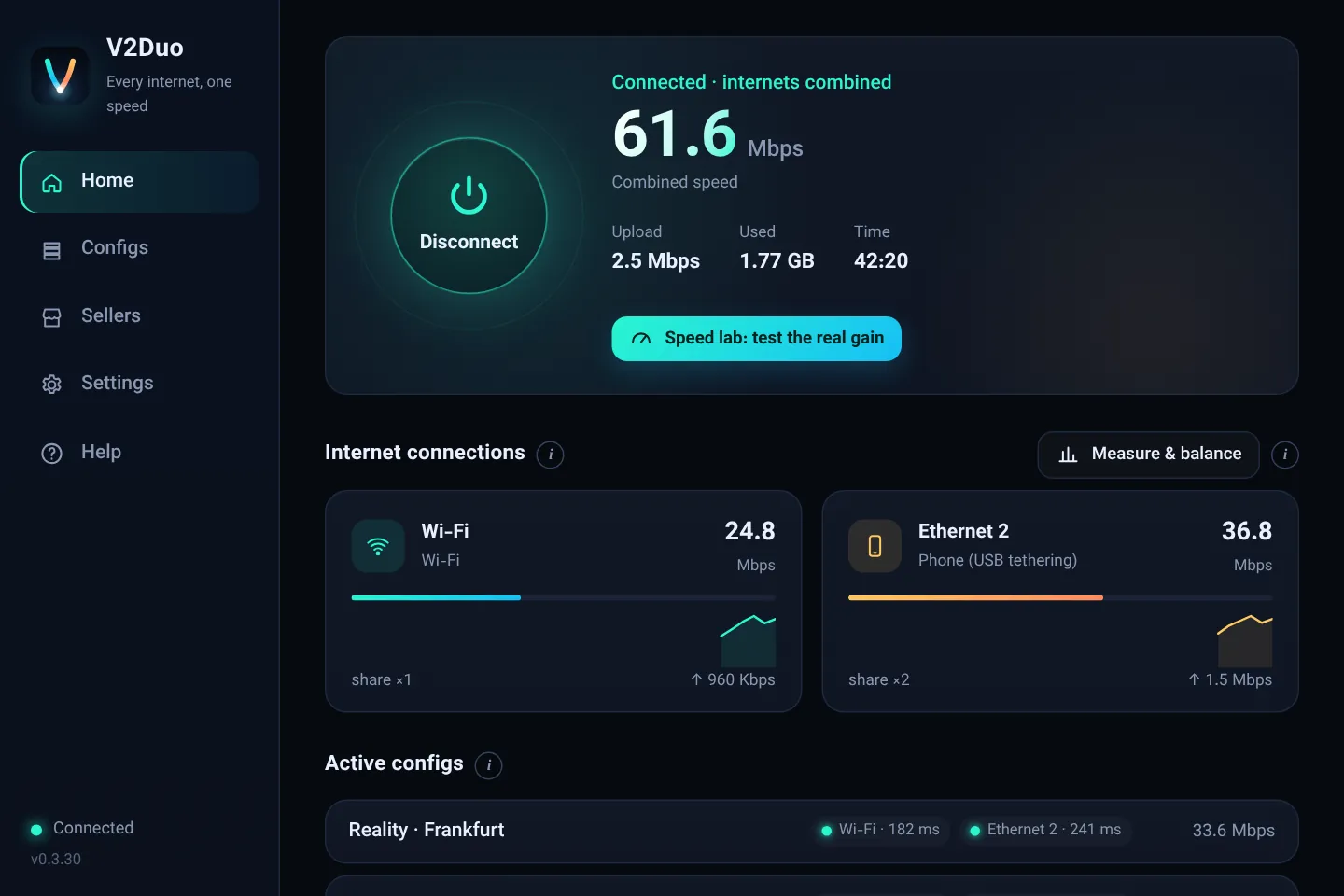
V2Duo spreads connections across every path, drops the broken ones, and the Speed lab shows how much combining really helped.
Everything V2Duo does
Each feature has its own full guide: what it does, where it helps and where it does not.
Combine Wi-Fi and Mobile Data on Android and Windows
Put Wi-Fi, mobile data, cable and USB tethering to work at the same time, so downloads and video get faster and one dropped connection does not knock you offline.
Read moreUse Several V2Ray Configs at Once with Automatic Health Checks
Instead of switching configs all day, turn on two or three good ones together. V2Duo spreads the load and sets broken configs aside by itself.
Read moreV2Duo Connection Modes, Max Speed, Priority and Backup
Choose how your links work together: all at once for top speed, one main link with helpers, or one link with the others kept for emergencies.
Read moreSpeed Lab, Measuring the Real Gain from Combining Connections
A fair test that shows exactly how much combining helped you, and if it did not, why not.
Read moreDNS Mode in V2Duo, a DNS Changer with Encrypted and Anti-Sanction DNS
Change the DNS of every app on your phone and computer with one choice, for blocking ads, encrypted lookups or reaching services that block your country. Even without any config.
Read moreImport V2Ray Configs from Links, Subscriptions, QR, Clash and sing-box
Bring configs from wherever you have them: a link, a seller's subscription, a QR code, a QR picture, a Clash file or a sing-box config.
Read moreHysteria2 Configs in V2Duo, Full Support Including Salamander
Hysteria2 runs over UDP and stays fast on unstable networks. V2Duo runs it next to VLESS and your other configs.
Read moreV2Duo for Windows 10 and 11, a Light V2Ray Client That Combines Cable, Wi-Fi and Phone
A complete Windows client that sends every app through the tunnel, combines all your adapters and is so light you forget it is running.
Read moreV2Duo for Android, a V2Ray App That Combines Wi-Fi and Mobile Data
All of V2Duo in your pocket: Wi-Fi plus mobile data, several configs at once, QR scanning and DNS mode, on Android 7 and newer with no root.
Read moreOpen Local Sites Without a Config (Split Tunneling by Destination)
Local sites open directly and everything else goes through your configs: banks and payment pages without errors, less config data, more speed.
Read moreDNS and IPv6 Leak Protection and Kill Switch in V2Duo
Make sure nothing slips past the tunnel: no DNS requests, no IPv6 traffic, and nothing at all while the app is closed.
Read moreDirect Boost, Combine Connections Without Any Config or Proxy
No config, or no need for one? V2Duo combines your links without a config and can change your DNS as well.
Read moreMeasured, not promised
Numbers we measured ourselves
Every V2Duo release is tested on real machines before it ships: CPU and memory use, traffic throughput, and how the app behaves when a connection drops and comes back.
An honest note too: combining two connections does not exactly double your speed. At best it adds the speed of the slower one, and you notice it most in multi-part downloads, video and heavy pages.
See the Speed lab- CPU when idle
- 0.2%Windows, two connections, four configs
- Memory used
- 77 MBWindows service, same test
- Data cap per speed test
- 15 MBthe test stops as soon as speed is steady
- moved in 1.5 seconds
- 381 MBon a test server, so the app itself is not the bottleneck
Where does V2Duo make the biggest difference?
Combining helps most with anything that opens several connections at once.
Where you will feel it
- Download managers like IDM or ADM that fetch files in parts
- YouTube and high-quality video
- App and game updates from the store
- Heavy pages full of images and video
- When one of your connections keeps dropping
Where it cannot do magic
- A single-connection download from one server: it is limited to one path
- Online gaming and ping: combining does not lower ping
- Voice and video calls: better kept on one stable path
- A slow config: you cannot go faster than its server
V2Duo next to the alternatives
A fair summary based on what each kind of app usually offers.
| V2Duo | Typical V2Ray client | Paid bonding services | |
|---|---|---|---|
| Combine Wi-Fi and mobile data | |||
| Works with your own V2Ray configs | |||
| Several configs at once with health checks | Limited | ||
| Backup mode: switches when a connection drops | |||
| DNS changer mode without any config | |||
| Depends on the vendor's own servers | No | No | Yes |
| Cost | Free (optional ad-free plan) | Free | Monthly subscription |
Other apps change over time; check their own sites for exact details.
Free with a few ads, or no ads at all.
Every V2Duo feature is free. If you would rather not see ads, the ad-free plan starts at $2.0 per month and one key covers your phone and your computer.
See plansPay with crypto
No account and no forms. Send the coin from your own wallet or exchange and your plan turns on by itself a few minutes later.
Gram (TON) · TRX · SOL · LTC · XRP · XLM · BNB · POL
Frequently asked questions
Is V2Duo a VPN service?
V2Duo does not sell servers or configs. It is a client that works with your own V2Ray and Xray configs and can combine several internet connections. Without a config it can still combine connections or change your DNS.
Will my speed double?
Not always. At best, the speed of your slower connection is added to the faster one. The effect is biggest in multi-part downloads and video. The Speed lab inside the app shows the real number for your own connections.
Which devices does it run on?
Android 7 or newer, and Windows 10 and 11 (64-bit). On Windows you can use cable, Wi-Fi and USB tethering from your phone together.
Do I need an account?
No. The app has no accounts and collects no personal data. Even buying the ad-free plan works without an email.
Which configs are supported?
VLESS (including Reality), VMess, Trojan, Shadowsocks and Hysteria2 links, subscription links, Clash and Mihomo files, sing-box configs and Xray outbound JSON. TUIC and WireGuard are not supported.
What does the ad-free plan add?
It removes every ad. No feature is locked behind payment; the plan is for people who do not want ads and want to support further development.
Try it now
Installing takes a minute. If it is not for you, just uninstall it: you made no account and paid nothing.
Download free